I Built a TCG in Unity Solely with AI. Here Are My Takeaways
April 28, 2026
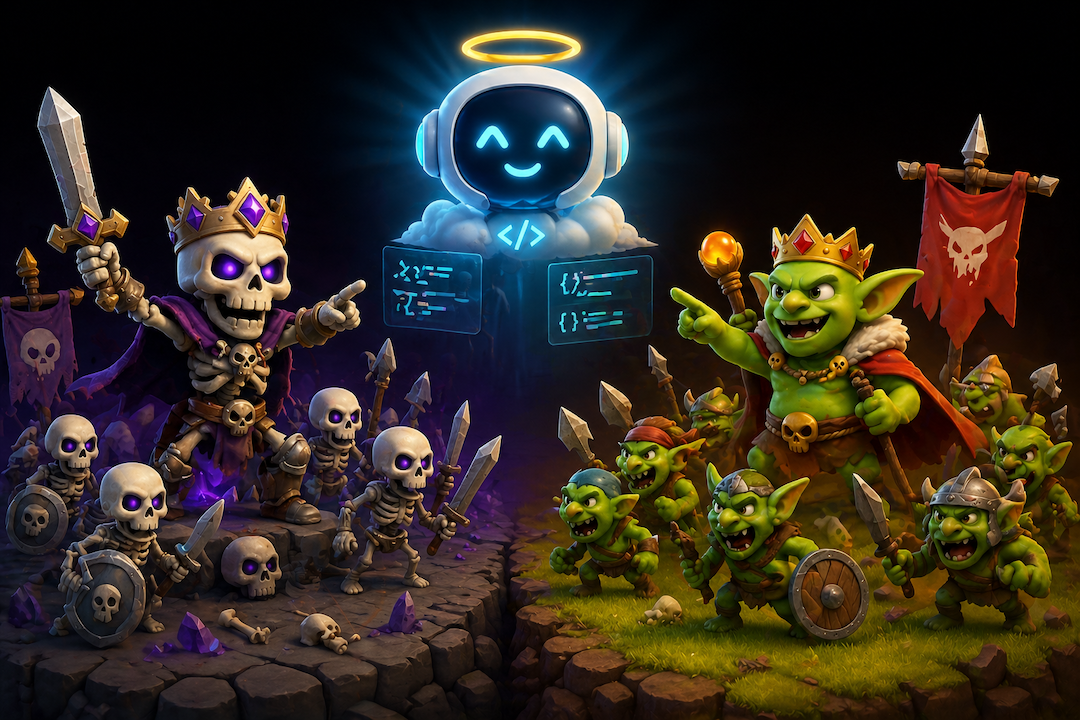
AI coding has improved at an absurd pace. After using it heavily while building codecrops.dev, and after seeing how good the latest image and 3D tools have become, I wanted to test a more practical question: how far can AI take you in building an actual game prototype in Unity if you let it do as much of the work as possible?
So I ran a simple experiment. I built a small Trading Card Game prototype in Unity and tried to write almost no code myself. I also tried not to manually fix the visual assets generated by AI unless it was absolutely necessary. The result was a fully playable proof of concept with two factions — Skeletons and Goblins — built in around 40 hours.
You can play the prototype here: carlesbalsach.com/clashofcards
Why a TCG game
I like TCGs, and I wanted to test a mechanic that is much more natural in a digital game than in a physical one: simultaneous hidden turns.
Each player has a commander and a deck of 15 customised cards. You choose one faction and play against the other, controlled by AI. Both players commit their turn at the same time without seeing what the opponent played. Only during the reveal do both sides become visible, after which the battle resolves automatically based on the state of the board.
It also felt like a good test case for AI because card games need a lot of content, character art matters, and the game logic is structured enough that coding agents should, in theory, be useful.
The rules of the experiment
The goal was simple: let AI do as much of the work as possible.
That meant:
- writing almost no code manually
- relying on AI-generated art wherever possible
- turning 2D character concepts into 3D models
- using coding agents to implement the game logic and structure
The tools were roughly:
- Claude Opus for most of the coding work
- OpenAI Images 2.0 for character generation and visual exploration
- Meshy to turn generated character images into 3D models
My final time breakdown looked roughly like this:
- ~3 hours of manual coding
- ~25 hours on Unity scene setup, UI work, prefabs, linking objects, colliders, and general integration
- ~8 hours on image and 3D generation, plus some manual fixing
- ~4 hours of playtesting and debugging
That breakdown tells the story better than any headline: the coding was not the main cost, the art was not the main cost, and Unity integration was the main cost.
What worked much better than I expected
1. AI-generated art is already genuinely useful
This was probably the most fun part of the project.
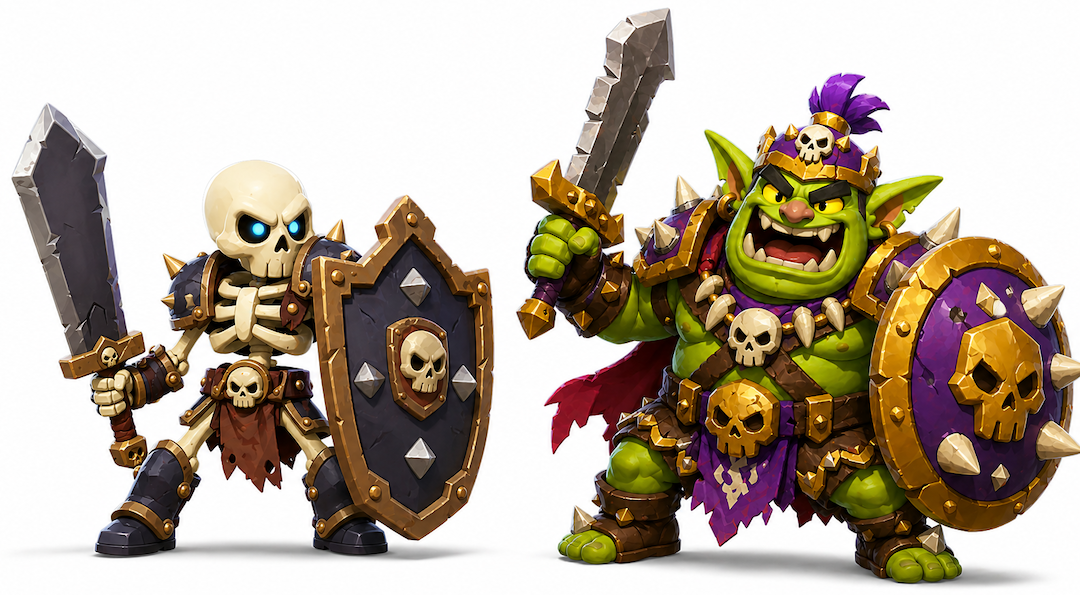
The latest image generation models are now good enough that getting close to the character you actually had in mind can happen very quickly. That is a real shift. In previous generations, even when the output looked impressive, it often still felt unreliable as production input. This time it felt much more usable.
For this prototype, AI worked very well for:
- character concepts
- character portraits
- faction visuals
- source images for 3D conversion
And that had a practical effect beyond saving time.
Good art makes a prototype feel real earlier. That matters more than people admit. Working only with placeholders often makes it harder to judge whether a game is actually compelling, because so much of the emotional read of the experience is missing. Here, the AI-generated visuals made the prototype easier to evaluate.
That said, AI was much better at hero assets than at the boring production layer around them.
It did well on characters. It did much worse on things like:
- consistent icons
- UI elements
- functional support assets
- certain 3D objects, like a good 3D representation of a card
That distinction matters. Games are not just made of splash art. They also need lots of small, coherent visual components, and that is still a weaker area.
2. Concept-to-3D is already powerful for prototypes
Meshy was also impressive.
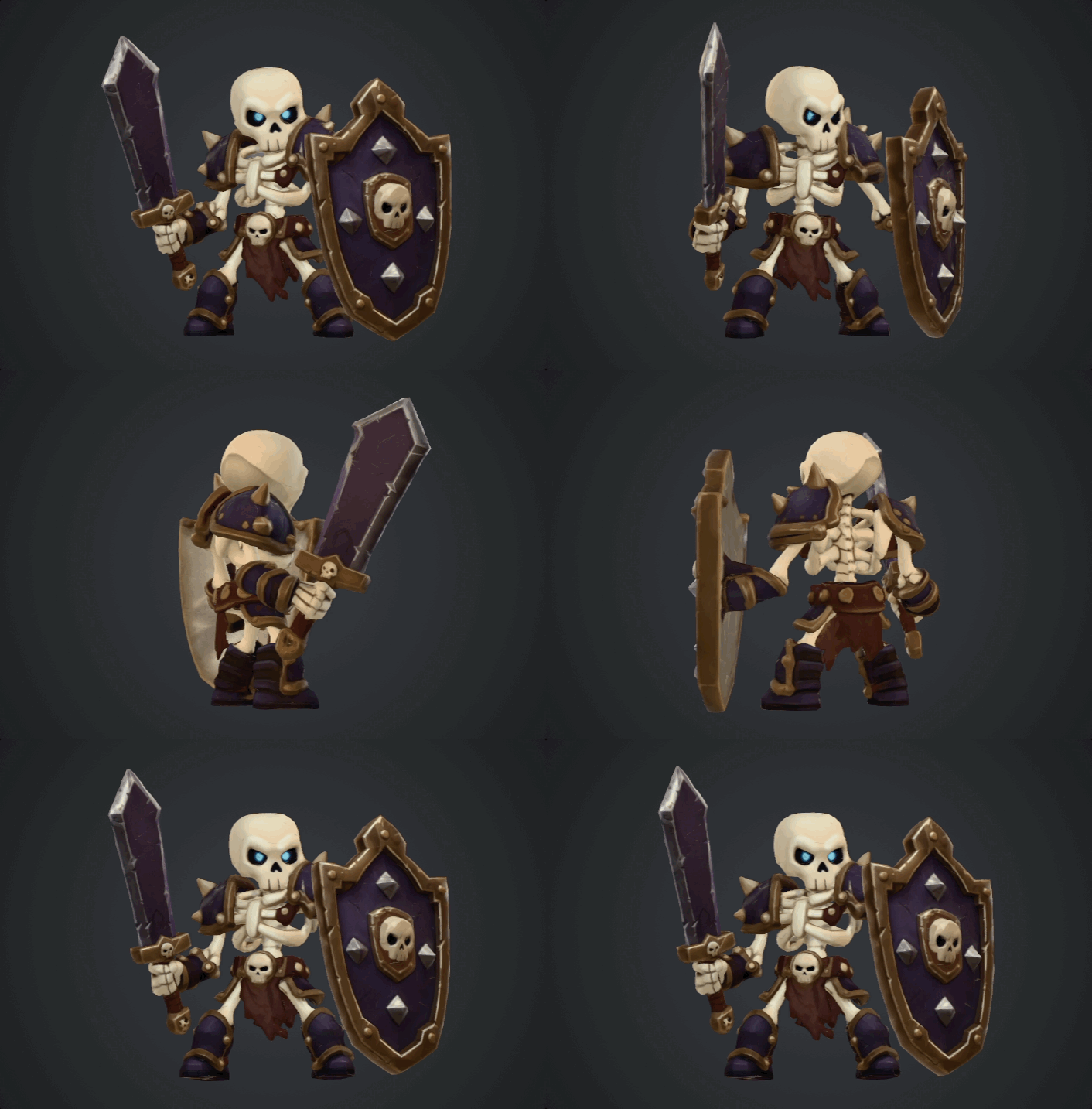
Taking a 2D character image and quickly turning it into a textured 3D model is already useful enough to change how a solo developer can prototype. The fidelity was good, the process was surprisingly effective, and it gave the project a freshness that would have been much harder to achieve alone in the same timeframe.
The limitations were also clear:
- the models were quite heavy
- they were best used as static pieces
- rigging and animation were still missing
So this is not magic yet. But for a prototype? Very strong.
What AI coding was good at — and where it still fell apart
On the coding side, the experience was more mixed. My honest takeaway is that AI is already useful for building prototypes, but not in a clean, autonomous way. It can absolutely help you move faster, get systems working, and turn a design into something playable much faster than starting from scratch.
But it came with a cost: bugs, repeated reprompting, architectural drift, and fixes that introduced new problems. In other words, it helped with implementation speed, but it also created overhead that I would not normally want in a production workflow.
I tried to guide the architecture from the beginning with a few main classes and a rough structure in mind: Game Controller, UIController, and so on. That helped a bit, but not enough. The coding agent still tended to deviate from the intended structure over time.
The issue was not really that the code was unreadable. The code was mostly readable. The issue was the structure. The logic for implementing different effects started to feel too spread out, too loosely organised, and too brittle. For a small prototype, you can survive that. For a real game, you do not want that codebase.
If I decided to pursue this prototype properly, I would rewrite the code from scratch.
That does not mean AI coding was useless. Far from it. It means the best way to use it today is probably this:
- start from a very refined game design document
- make that document available to the LLM and treat it as a project rule to check before making changes
- ask questions when the design is unclear instead of letting the agent improvise
- update the document whenever the design changes
- define the architecture before implementation
- give the agent smaller, tightly bounded tasks
- supervise constantly
- do not trust bug fixes blindly
In this project, AI felt much more like a fast implementer than a creative or technical partner. It could execute, accelerate, and even help with some card definitions. But the direction, judgment, balance, and quality bar still had to come from me.
Unity was the real bottleneck
This was the most important lesson of the whole experiment. The biggest problem was not that AI could not generate art, or even that it struggled to maintain clean code. The biggest problem was that so much of Unity development still happens manually inside the editor.
That includes things like:
- scene setup
- linking references between objects
- prefab wiring
- UI hierarchy and layout
- collider setup
- asset import and preparation
- component configuration
- all the little bits of glue that make the game actually function
This is where most of my time went, and it is also the part AI could not really own.
That is why the comparison with web development feels so sharp to me. When building web products, a lot more of the product exists directly in code. That makes it much easier for a coding agent to create, edit, inspect, and connect everything together. Unity is different. A lot of the real work lives in scenes, editor panels, inspector values, manual object setup, and UI arrangement. That makes the workflow much less AI-native.
So while AI can help build a Unity prototype, Unity itself is still not a great environment if your goal is to maximise what the coding agent can do autonomously. In fact, after this experiment, one of my practical conclusions is that I would probably try a different engine next time if the goal was to push AI-driven development further.
The prototype succeeded — and that was enough
The final prototype was fully playable end-to-end, with some bugs but without breaking the core loop. More importantly, it answered the real question I had: was the game idea good enough to pursue further?
My answer is: probably not.
It was not bad. It was somewhat promising. But it did not have the depth or fun I would want from a TCG worth investing in seriously. And oddly enough, I count that as a success.
Traditionally, getting to that point with a game prototype like this could have taken weeks of work across design, engineering, and art. Here, one person could get to a visually appealing, playable proof of concept in around 40 hours. That is the real win. Not that AI made a great game, but that AI made it dramatically cheaper to find out that the game was not great enough.
I do not think a beginner could reproduce this easily in Unity today. AI reduced the amount of manual creation work, but it did not remove the need to understand how Unity works. Scene management, UI, editor workflows, and judging whether generated code is going in the wrong direction still require experience. So for now, AI helps experienced people more than it replaces the need for experience.
Final takeaway
If you want to use AI heavily in game development today, my advice would be:
- Refine the game design document before you start. If the design is vague, AI will amplify the mess. Make that document available to the LLM, require it to check it before making changes, ask questions when the design is unclear, and update the document when the project evolves.
- Define the architecture first. Do not let the agent invent the structure as it goes.
- Keep tasks small and specific. AI performs much better with bounded implementation work.
- Be careful with Unity. If your goal is maximum AI leverage, Unity currently fights the workflow.
My overall conclusion is simple.
AI is already very good at helping a single person build a playable, visually appealing prototype quickly. It is not yet good at replacing the manual integration work that Unity demands, and it is definitely not good enough to be trusted with production-quality game architecture without strong human guidance.
Still, even with those limits, the value is already real. Because in game development, one of the most expensive mistakes is spending too long on an idea that was never good enough. AI makes that mistake cheaper.
TL;DR:
- I spent about 40 hours building a Unity TCG prototype with AI doing most of the coding and asset creation.
- The biggest wins were character art, concept-to-3D generation, and the speed of getting to a playable prototype.
- AI coding helped, but needed strong human guidance and produced structure I would never keep for production.
- The real bottleneck was Unity itself: too much critical work still happens manually inside the editor.
- The biggest value was not making a great game. It was discovering quickly and cheaply that the idea was not worth pursuing further.